Client-Server Printing in Citrix Environments
Sign Up For Your Free Trial Account
With UniPrint Infinity™ secure mobile printing solution, IT departments can rest easier at night about letting employees print from their personal devices. Go head, embrace this new mobile printing trend and make your end users happy.
Why Mobile Printing with UniPrint Infinity Suite?
- Allows administrators to quickly and easily convert any windows print queue into any device enabled printer
- Integrates with UniPrint Infinity features like SecurePrint and Statistics & Archiving modules
- Track and control users and printing habits Enhance end user workflow and increase productivity
- Simple configuration, printers just appear as available to users
What Customers Are Saying


“UniPrint’s support team was a key factor in switching to UniPrint. They solve my problem each and every time.”

“UniPrint is a must-have add on for its support, features, performance and reliability in a Citrix Environment.”

“ Printing has become more streamlined, with no negative effects. ”

“ UniPrint fits perfectly into our environment and solved all our issues. ”

“ Printing secure documents with UniPrint couldn’t be any easier. ”

“ UniPrint makes it easier for us to keep our servers running and our clients happy.”

“ UniPrint’s solution immediately took care of 90% of our printing issues. “

“ Prints are delivered to our internal clients in a timely and efficient manner. ”

UniPrint Infinity for Mobile Printing iOS/OS X
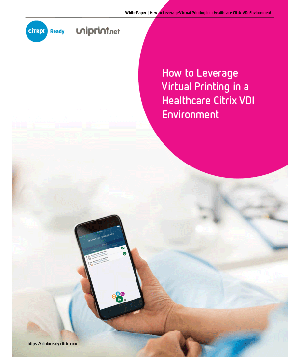
As part of a Citrix or Microsoft Remote Desktop Services (RDS) environment, the UniPrint Infinity iOS/OS X Printing Module allows iPhone,iPadand MacBook users to print directly to ANY network printer, not only to special printers that are AirPrint-certified.
UniPrint Infinity’s iOS/OS X Module turns any printer on the UniPrint™ Print Server into an Apple-compatible printer and enables printing from Apple devices connected to your corporate network. Zero configurations are required for the user device, and the mapped printers will just appear as available to the user.
Using UniPrint’s Universal Printer Driver (UPD), any BYOD user will now enjoy all the other benefits of UniPrint Infinity including secure pull printing.
For added security, users can download UniPrint Connector and UniPrint Vault to print through the Virtual Print Queue for user authenticated print release on your mobile device.
Support BYOD Printing & Guest Printing with Email to Print
UniPrint Infinity’s Email2Print Module allows smartphone and tablet users who are not connected to the corporate network to send documents as attachments to an e-mail address that is associated with a particular printer for printing. Authorized users – internal or guests (e.g. visiting doctors at hospitals, or clients visiting their law firms) – can easily print from their iOS, OS X, Chrome OS and Android device that has an email client.
Corporate IT only needs to assign an email address to a designated print queue/printer. Users simply email the print document as an attachment to the email address, and the document will print to the designated printer. At the same time, security is kept in check as print data can be kept inside a corporate sandboxed environment, such as WorxMail for Citrix XenMobile.
The Email2Print Module fully integrates with the SecurePrint and Statistics & Archiving Modules to track user print statistics and provide added security and compliance.
Frequently Asked Questions
Who is eligible for the free trial?
The free trial is a one-time introduction to the UniPrint Infinity Suite platform for new customers. If you have never been a paying customer of our software and have not previously signed up for the free trial, you are eligible.
What is included in the free trial?
After you have registered on our site, you will have access to a fully functional copy of UniPrint Infinity Suite that will contain a watermark on all print outs. We also provide you with full technical support during this period. To obtain a demo license that removes the watermark, please contact our sales team.
How long is the free trial for?
The UniPrint Infinity Suite trial lasts for a period of 14-days. Once this period is complete, your trial account will expire.
What do I need to provide to start a free trial?
To start a free UniPrint Infinity Suite trial you just need to provide your information above. No credit card is required.
Can I extend my free trial?
Yes, you can extend your 14-day free trial by special request. Send an email to request a free trial extension to our sales team at [email protected]
Do I pay anything for the free trial?
No, the trial is free and you will not be billed or invoiced. When you trial ends, you will be contacted by our sales team for a POC and you will have the option to upgrade to a paid account.
Why are there watermarks on my print outs?
A watermark on printouts indicates one of the following conditions:
- No license is installed on the UniPrint License Server
- The evaluation period has expired if a demo license is used
- You’ve exceeded the total number of concurrent users allotted for the license file installed on the UniPrint License Server
- A communication error occurred between user’s session and the UniPrint License Server
What are the Terms of Service for the free trial?
The UniPrint Infinity Suite free trial requires that you accept our terms & conditions.
What if I still have questions?
Visit our FAQ Section or give us a call at +1 416-503-9800 option 2 and our sales team will be happy to answer any questions for you.